Set up reminder emails
Video coming soonTurning on reminder emails
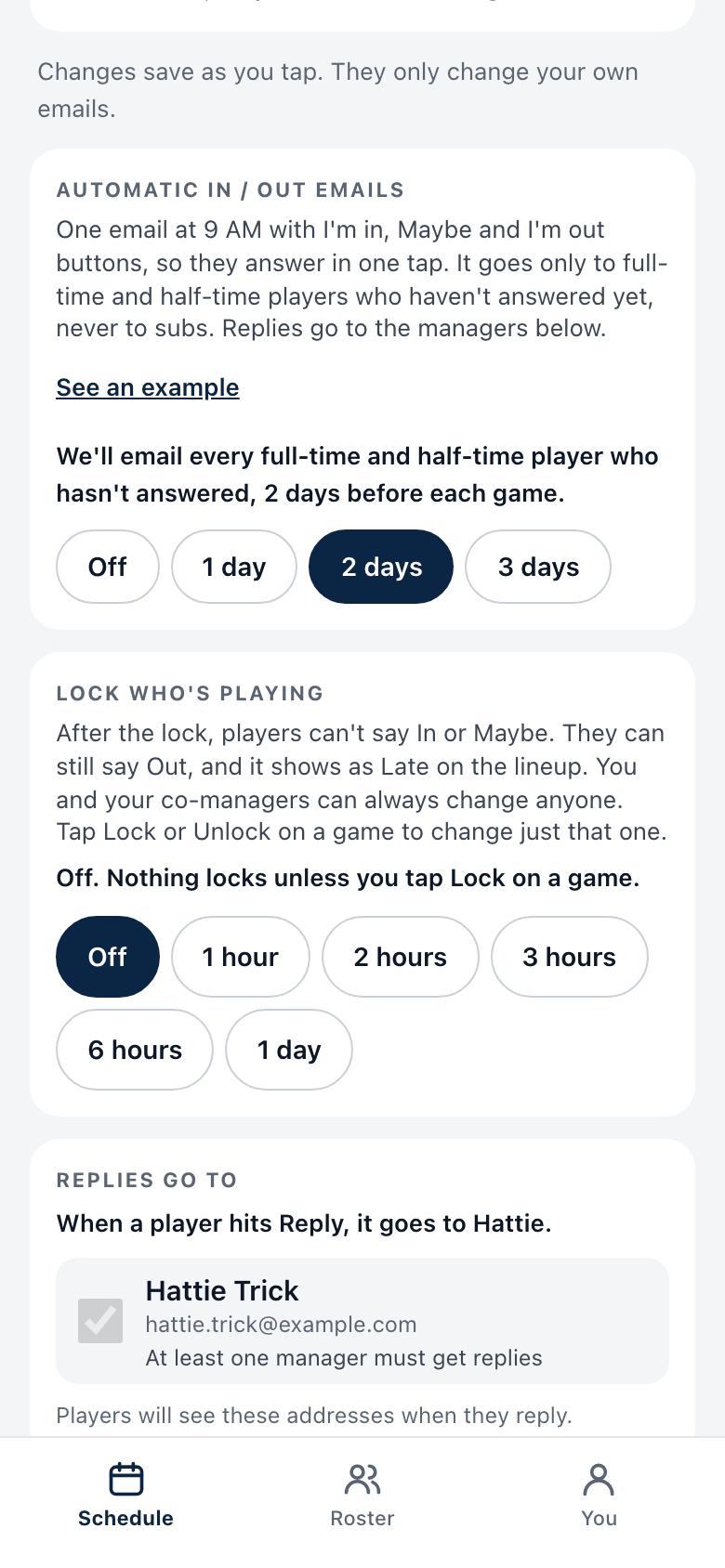
When reminders are on, League Fam emails people who have not answered. You do not have to chase them.
What gets sent
Section titled “What gets sent”- When: at 9 AM, 1, 2 or 3 days before each game (your choice).
- Who: full-time and half-time players who have not answered. Subs are not emailed.
- What: one email with I’m in, Maybe and I’m out buttons. They answer in one tap.
- Replies go to the managers you pick on Edit team.
Turn them on, change them, or turn them off
Section titled “Turn them on, change them, or turn them off”- On the Schedule, tap Edit team.
- Find the card called Automatic In / Out emails.
- Tap the number of days you want, or Off.
- It saves on the tap. The line above the buttons tells you what will happen.
Tap See an example to read the exact email first.
The prompt you may see
Section titled “The prompt you may see”Older teams may see Players aren’t getting reminder emails. Tap Turn on, or Keep off if you do not want them. You are only asked once. Undo is right there if you tapped by mistake.
See what will happen
Section titled “See what will happen”Each upcoming game shows a line for managers, like “Reminder email goes out Tue 9 AM to the 6 who haven’t answered.” After it goes, the line says how many were sent.
Good to know
Section titled “Good to know”- New teams start with reminders on, 2 days before.
- If you turn reminders on when a game’s reminder time has already passed, that game gets no late email.
- Someone with no email on file cannot get one. The game page lists them with a Text their link button.
- A reminder email can occasionally be missed if our email service is down at that moment. Nudge as a backup for games that matter.